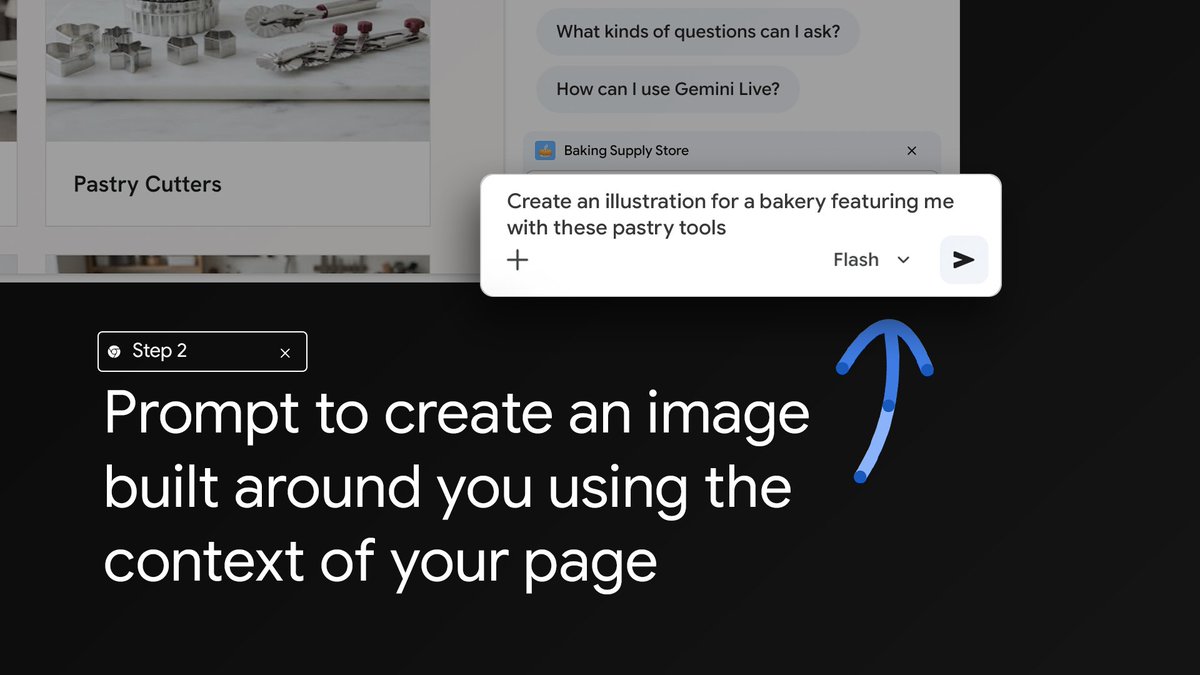
You’re the ⭐ baker. Gemini in Chrome + Personal Intelligence turns you into the ⭐ of the image. Here’s how to enable: In Gemini in Chrome select the three dot menu, choose Settings & Help, click Personal Intelligence, and select Connected Apps. You can change the settings

Chrome @googlechrome ·
  1. #1

    Whether you’re creating party invites, family postcards, or thank you cards, Gemini in Chrome + Personal Intelligence can help you make the web your own. Here’s how to enable: In…

  2. #2

    Show, don’t tell! Select exactly what you want to make adjustments to for a more precise prompt. 🖼️

  3. #3

    Having a tough time imagining how it would look? Select part of your screen to add context to your Gemini in Chrome prompt and actually see it. 👀

  4. #4

    New in Chrome! We’re improving how you interact with images on the web with Gemini in Chrome on desktop: 🔲 Select from your screen to add specific context to your prompts 👤 Create…

  5. #5

    Wherever the day takes you, browsing on Android just got a whole lot smarter. 📱⚡️ Gemini in Chrome is now available for Android users in the U.S.! Use it to summarize long pages,…

  6. #6

    Notification burnout? We reduced abusive notifications on Chrome for Android. And we’re not stopping there! ❌Chrome now revokes notification permissions for sites you haven't enga…

查看 @googlechrome 的全部帖子